Skip to content

Flow360 workspace

Your whole company, on one system.

Flow360 runs sales, purchasing, stock, money and people from a single set of records — so the number you see in a report is the same number the work actually produced.

  • Quotes, invoices and payments in one thread
  • Stock that moves when you sell, not when you remember
  • Expenses, accounts and profit on the same ledger
  • Roles that fit finance, sales and operations

No card required · Set up in minutes · Your data stays exportable

The Flow360 dashboard, showing revenue, outstanding invoices, expenses and net profit alongside a revenue trend chart and recent invoices.

Take a look inside

The real interface, not an illustration of one

Every screen below is a screenshot of the running application. What you see here is what your team opens on a Monday morning.

Dashboard

Know where the business stands before anyone asks

Revenue, outstanding balances, spend and net profit for any period you choose — today, this quarter, or a range you type in. Every figure is read from the same records your team works in, so there is nothing to reconcile.
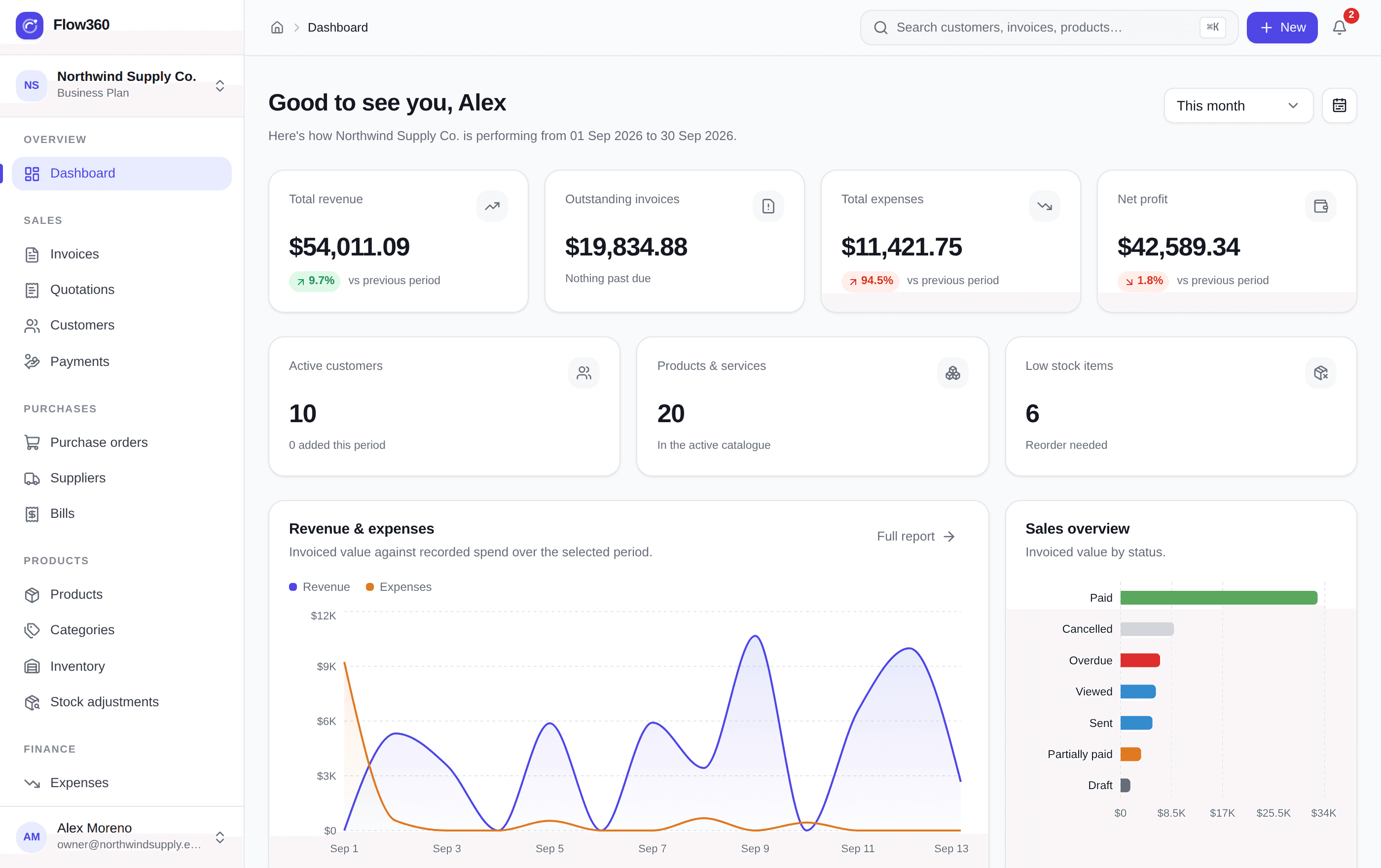
Flow360 dashboard showing metric tiles, a revenue and expense trend chart, invoice status breakdown and recent activity.

Invoicing

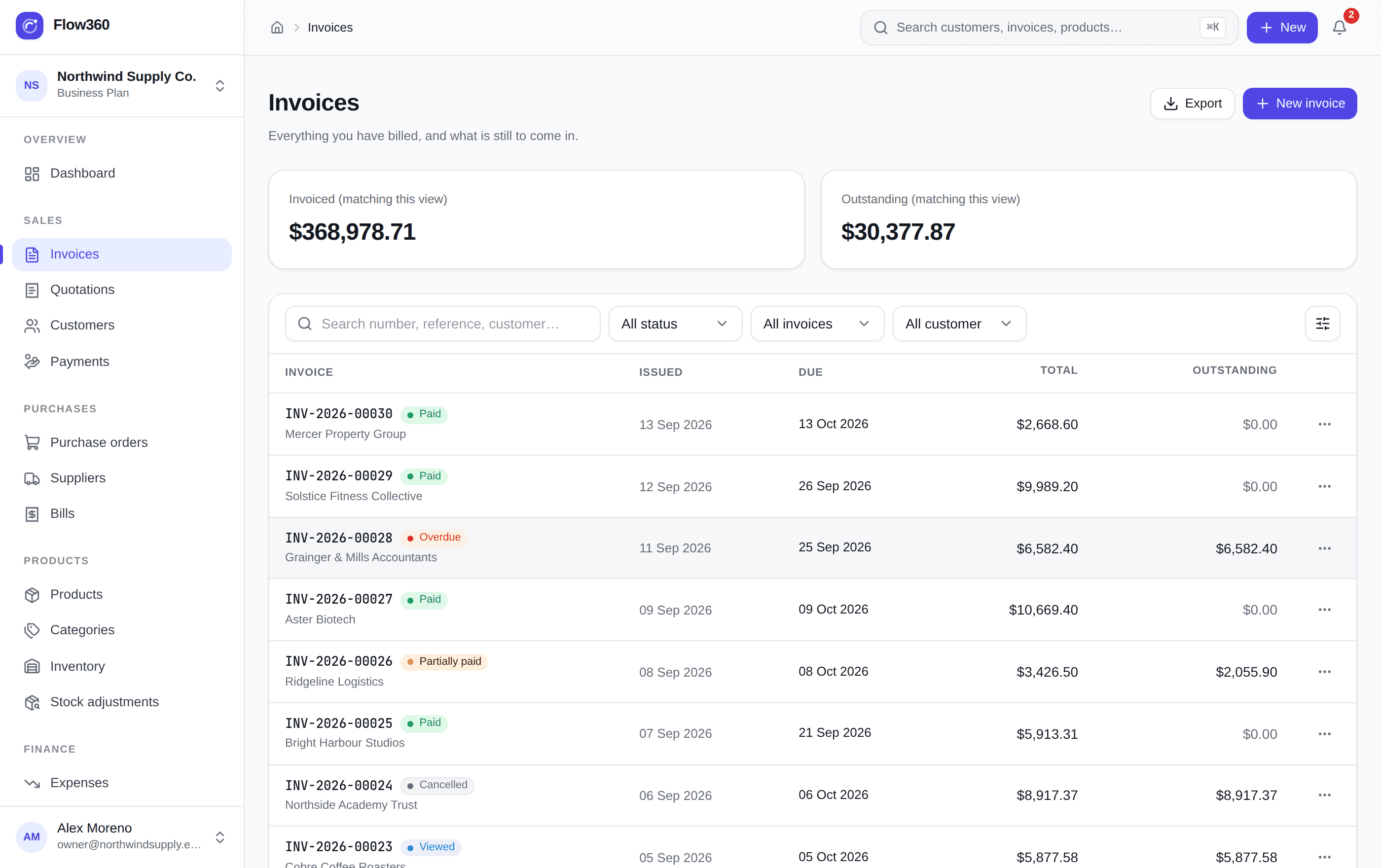
Raise it, send it, and watch the balance close itself

Totals are recomputed on the server from the lines every time, sending commits the stock, and a recorded payment moves the invoice, the ledger and the bank balance together. Statuses follow the money rather than someone remembering to change them.

Flow360 invoice list showing invoiced and outstanding totals, status filters and per-invoice balances.

Customers

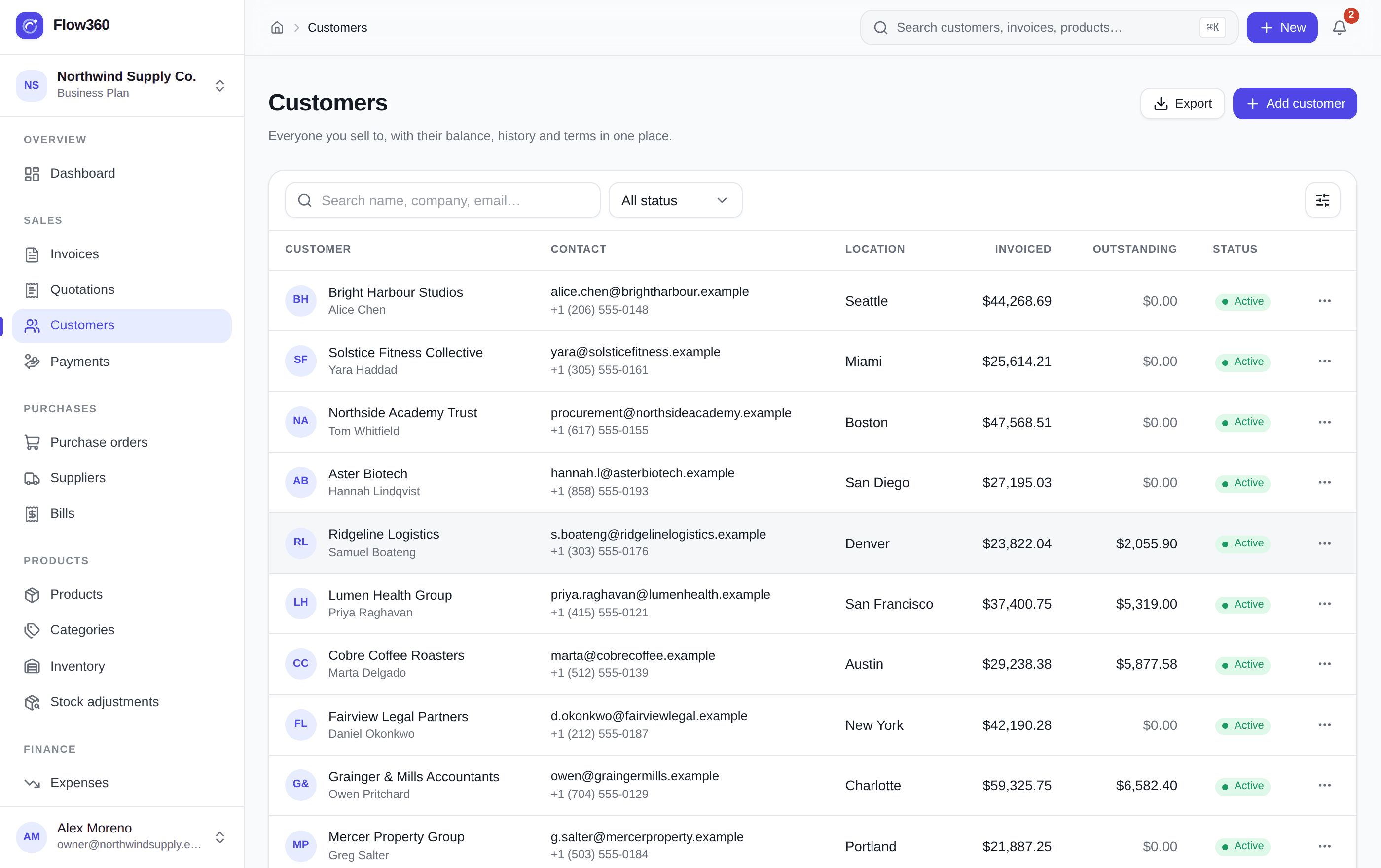
One list that already knows who owes you what

Search, filter and sort straight from the URL, so any view you land on is one you can share or bookmark. Invoiced and outstanding totals sit on the row, and a credit limit warns you before the next order goes out.

Flow360 customer list with search, status filter, invoiced and outstanding columns, and per-row actions.

Customer profile

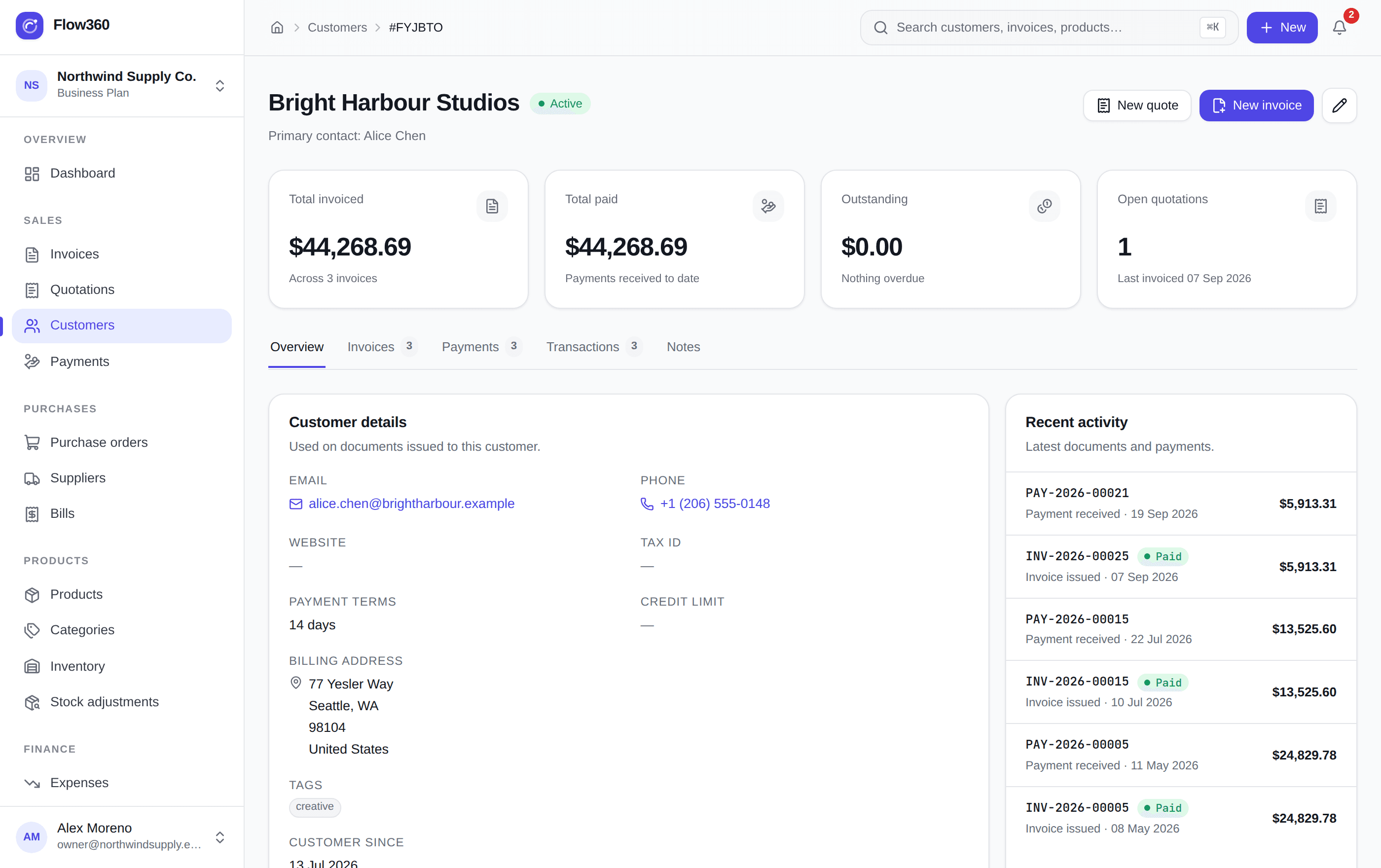
The whole relationship, without digging through email

Contact details, terms and tax information beside live totals, then tabs for invoices, payments, ledger entries and private notes. Anyone on the team can open a customer and see exactly where things stand.

Flow360 customer profile showing totals for invoiced, paid and outstanding amounts with tabs for invoices, payments, transactions and notes.

What you get

The operational core, not another dashboard

Each module writes to the same records, so the work you do in one place shows up correctly everywhere else.

Invoicing that closes the loop

Build an invoice from your catalogue, apply line discounts and tax, send it, then watch the balance fall as payments land. Statuses move themselves.

Stock that stays honest

Every sale, purchase and correction writes a stock movement. Quantities, valuation and reorder alerts stay accurate without a second system.

Books you can actually read

Payments, expenses and transfers post to one ledger across your bank, cash and card accounts, so profit is a number rather than a guess.

Access that fits your org chart

Six role templates out of the box, with view, create, edit, delete and export controlled per module. Nobody sees more than they should.

Reporting without exports

Sales, expenses, inventory and profit and loss are filtered by any period you like, printable, and exportable when you do need a file.

Built for more than one company

Run several businesses or branches from one login. Data is isolated per company at the database level, not just hidden in the interface.

Modules

Twenty modules that already know about each other

Turn on what you need today and switch the rest on later — nothing has to be configured twice.

  • Invoices
  • Quotations
  • Customers
  • Payments
  • Purchasing
  • Inventory
  • Expenses
  • Accounts
  • Employees
  • Payroll
  • Projects
  • Permissions

How it works

From setup to insight in four steps

No implementation project, no consultant. Most teams are issuing real invoices the same afternoon they sign up.

Create your workspace
  1. 1

    Set up your company once

    Add your details, currency, tax rates and invoice numbering. Everything downstream inherits it — you never retype a tax rate again.

  2. 2

    Bring in customers and your catalogue

    Create customers, products and services with purchase and selling prices. Stock levels and reorder points come along for the ride.

  3. 3

    Sell, buy and get paid

    Quote, convert to invoice, record the payment. Raise purchase orders, receive stock, log the bill. Each step updates the next.

  4. 4

    Watch the numbers move

    The dashboard and reports read from the same records, so revenue, spend, stock and profit are always current — no reconciliation ritual.

Why teams switch

Less admin, fewer surprises

The cost of scattered tools is not the subscriptions — it is the hours spent reconciling them and the decisions made on stale numbers.

  • One record of truth instead of five spreadsheets
  • Quotes convert to invoices without retyping a line
  • Stock and books update from the same transaction
  • Overdue invoices surface before they become bad debt
  • Role-based access for finance, sales and operations
  • Every list searchable, filterable and exportable

Questions, answered

Put the whole business on one system

Create a workspace, import your customers and issue your first invoice today. Flow360 scales with you from there.